Your Domain's
Email Client
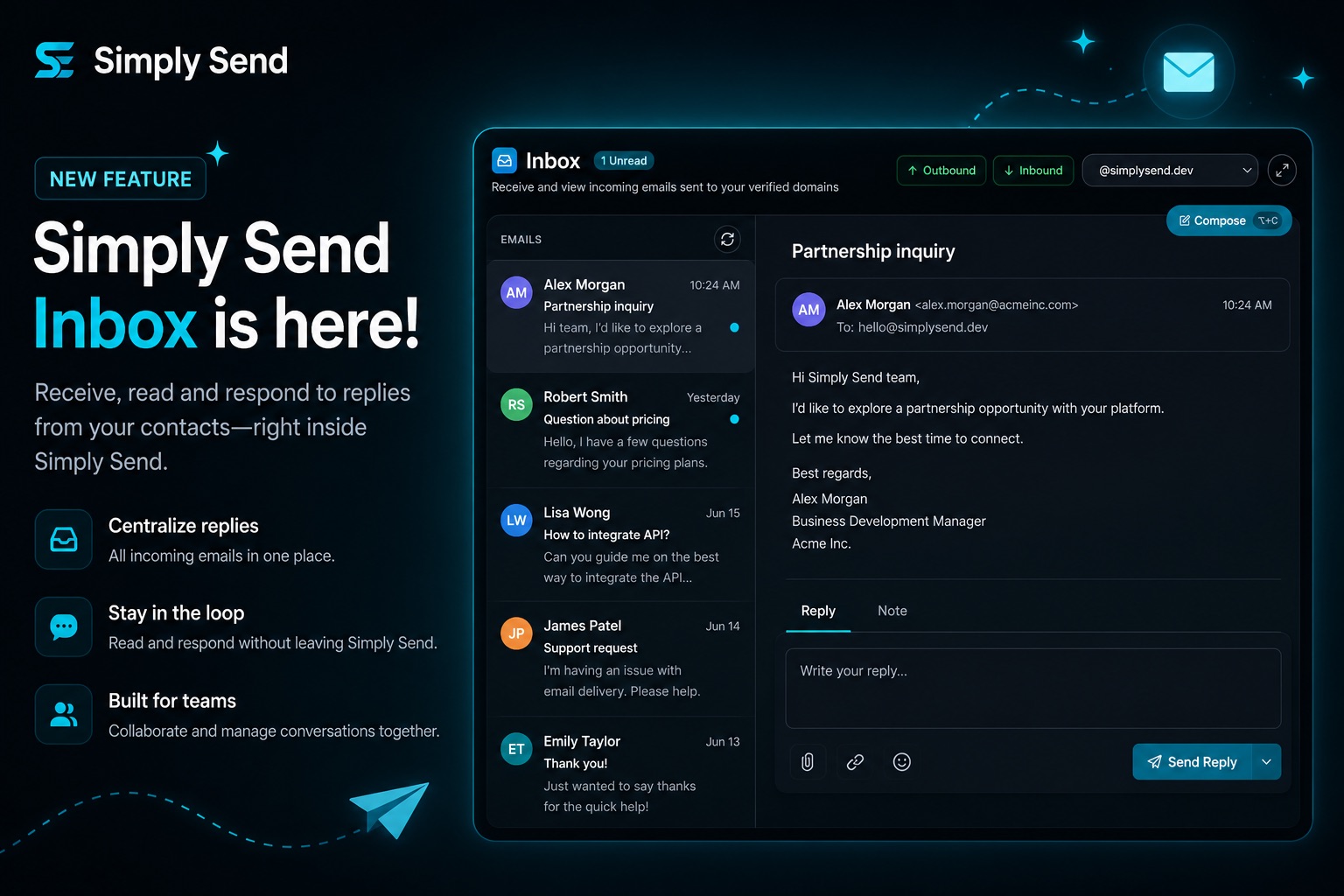
Send and receive emails on your own verified domains. The composer you already love is now a full inbox with replies, attachments, and conversation history.
Maximum Cost Savings
Validate multiple ideas across dozens of domains without paying for traditional Google Workspace or Microsoft 365 seats for every single email address.
Cross-Domain Flexibility
Instantly switch between your transactional and marketing domains. Communicate directly as [email protected] or [email protected] from one place.
Two-Way Conversations
Receive replies directly on your domain. Reply, reply-all, and forward without leaving Simply Send . No external forwarding required.
Built for teams that send and receive.
Your emails deserve a home on your own domain. The Email Client now handles outbound delivery and inbound replies in one place, with conversation history, attachments, and privacy-first image loading.
" Simply Send 's client lets me handle support and outbound from one account. Customers reply to order emails on my own domain, and I can answer them without switching tools."
Jordan Dev
Serial Entrepreneur
How it Works
Set up your domain for two-way email in four simple steps.
Login
Create an account or log in to your Simply Send account.
Verify Domain
Add DNS records to your domain provider to authorize.
Enable Inbox
Turn on inbound receiving for replies, verification emails, and customer questions.
Send & Receive
Compose and send emails, then read and reply to incoming messages.
Inbox is Live
Replies now land directly in your dashboard. Enable inbound email on any verified domain and manage conversations without external forwarding. Available on paid plans.
Ready to send and receive smarter?
Start sending on your own domain today. Upgrade to receive replies in-app.