

TL;DR
Keep a clear unsubscribe link in your marketing email, and check whether your sending setup also provides header-based one-click unsubscribe. The footer helps people find an exit inside the message; the headers enable a mailbox action using the RFC 8058 protocol. Check the provider rules that apply to your mail, inspect a received test message, and verify both paths update the correct subscription without unnecessary barriers.
The link readers see
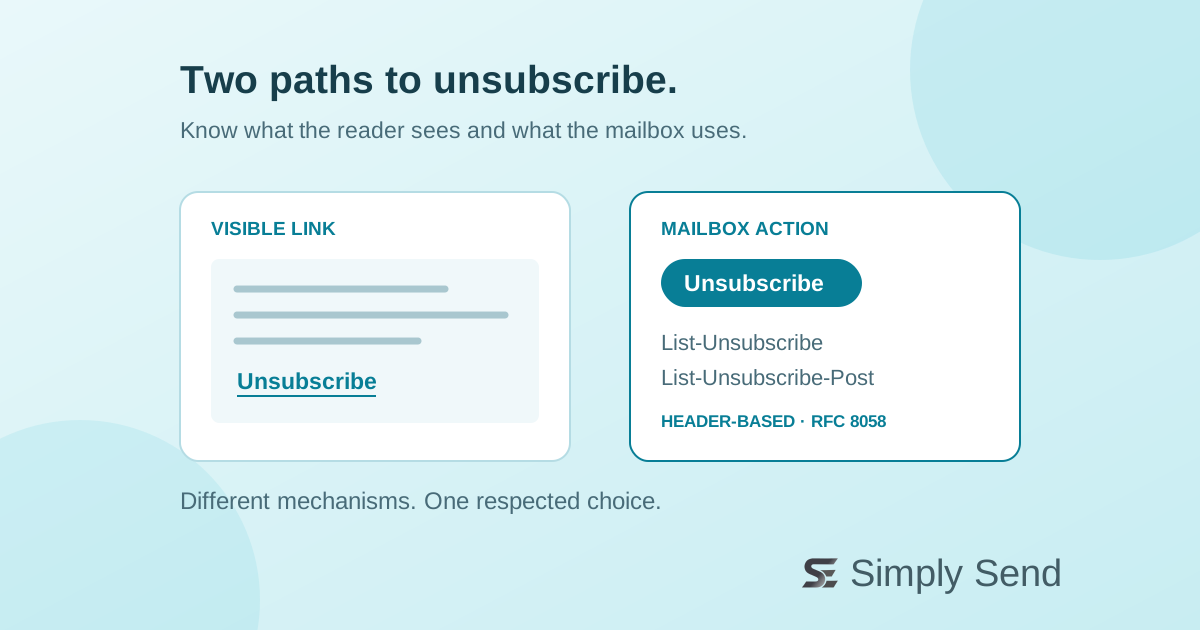
A body link is the unsubscribe option inside your email, often near the footer. Readers can follow it to leave a mailing list or manage their preferences. Make its label clear, keep it readable on mobile, and avoid hiding the exit among unrelated links.
A preferences page can offer fewer messages or different topics. As an editorial best practice, make stopping the relevant subscription easy as well. A confusing form can leave someone wondering whether their choice actually took effect.
The action mailboxes can offer
Email headers are structured information that accompanies the message. RFC 8058 defines a one-click mechanism using two headers: List-Unsubscribe supplies an HTTPS address, and List-Unsubscribe-Post signals the one-click action. The mailbox can send an HTTPS POST request to that address when the recipient chooses to unsubscribe.
This is different from clicking a web link in the body. Automated security tools may fetch links, so avoid designing a simple page visit to remove a subscriber immediately. The standard also requires a valid DKIM signature covering both headers. DKIM is an email authentication mechanism; ask your sending platform or engineer to verify this configuration.
Check the rules for your mail
Gmail requires bulk senders’ marketing and subscribed messages to support one-click unsubscribe and include a clearly visible unsubscribe link in the message body. These are mailbox-provider requirements for the relevant traffic, not a claim that every email everywhere follows identical rules.
Gmail’s FAQ distinguishes header-based one-click unsubscribe from an additional body link, which can lead to a preferences page. It also distinguishes promotional messages from transactional messages such as receipts and password resets. Classify your message before deciding which controls belong in it; do not turn a newsletter opt-out into a block on essential account communications.
Review one received test message
Before your next campaign, open a test message in a narrow layout and locate its visible unsubscribe option. Then inspect the original message headers, or ask an engineer to check that the one-click headers and required signature are present.
Finally, test the web-link journey and the one-click handler separately with addresses you control. Confirm which subscription each path changes and whether later sends respect that choice. Do not judge success only by whether a mailbox displays an unsubscribe button: display decisions belong to the receiving service. The useful outcome is a clear choice that your sending system honors.