
TL;DR
Lead with the reader’s task, keep the subject honest, and use the opening sentence to add useful context. Do not invent urgency or disguise a new message as a reply. Inbox snippets vary, so the subject must stand alone. Before sending, review the sender name, subject, opening sentence, and main action on a narrow screen; ask a colleague what the message is for.
Start with the reader’s job
An email subject is a promise about what is inside. For a receipt, password reset, or newsletter, that promise should help someone decide what to do next. Write for recognition before curiosity: the reader should understand the message even when the inbox shows only its first few words.
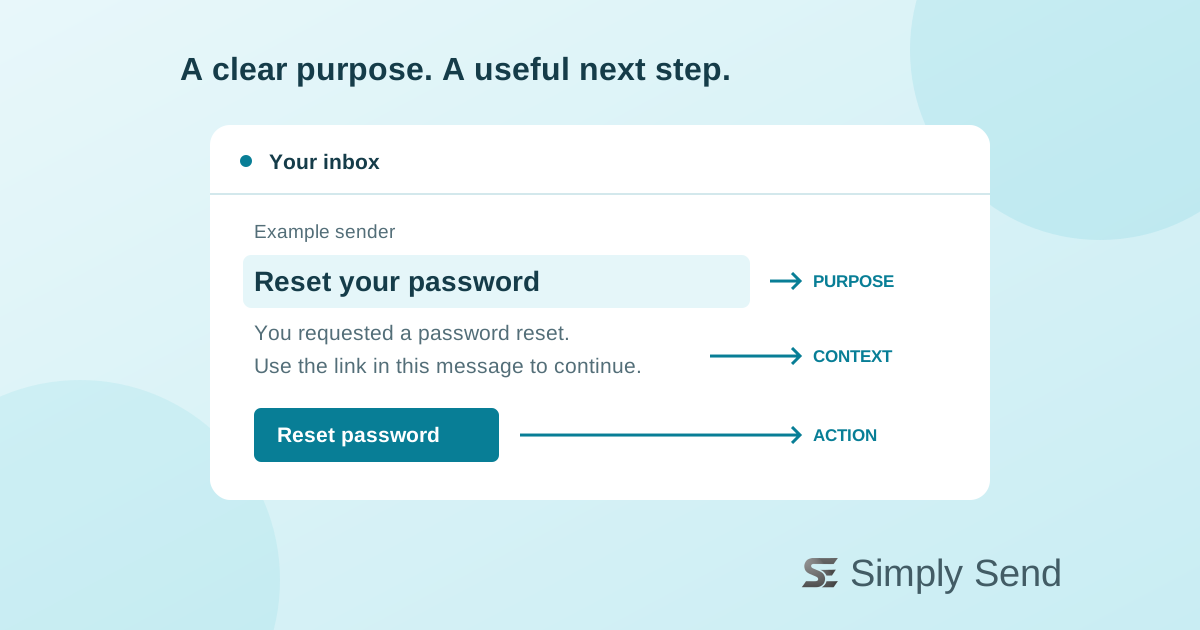
Name the task or useful outcome early. “Reset your password” is clearer than “An important account update.” For a newsletter, “Three ways to simplify your signup form” describes a benefit without inventing urgency. These are illustrative examples, not results from a campaign.
Keep the promise honest
Gmail’s sender guidance says subjects and other message elements should accurately represent the sender and content. It specifically warns against starting subjects with “Re:” or “Fwd:” unless the email really is a reply or forward. Treat this as mailbox-provider guidance, not a copywriting trick to work around.
The email-format standard, RFC 5322, describes the Subject field as a short string identifying the topic. It does not prescribe a universal marketing character count. Put essential meaning first, then check what your audience’s inboxes actually display.
Avoid putting sensitive details, such as a verification code or private account information, in a subject. Inbox lists and device notifications can expose that text before someone opens the message. Name the purpose while keeping the details inside.
Make preview text useful
Preview text is the snippet an inbox displays beside or below the subject. Use the opening sentence of the email to add context rather than repeat the title. A reset email might start: “You requested a password reset. Use the link in this message to continue.”
Make that sentence visible and helpful in the email itself. A snippet is not guaranteed: clients can choose different content or show very little. The subject must still make sense on its own, and the message must still explain the next step without relying on a preview.
Review before sending
W3C’s accessibility writing guidance recommends short, clear sentences and meaningful headings. Apply those principles to email copy as an editorial practice; this is not a separate email-subject compliance requirement. Explain unfamiliar terms and prefer ordinary words over internal product labels.
Before your next send, review the sender name, subject, opening sentence, and main action together. Preview them on a narrow screen and in the inboxes your audience uses. Ask a colleague to describe the purpose without opening the message. If their answer differs from your intent, rewrite the first few words.